

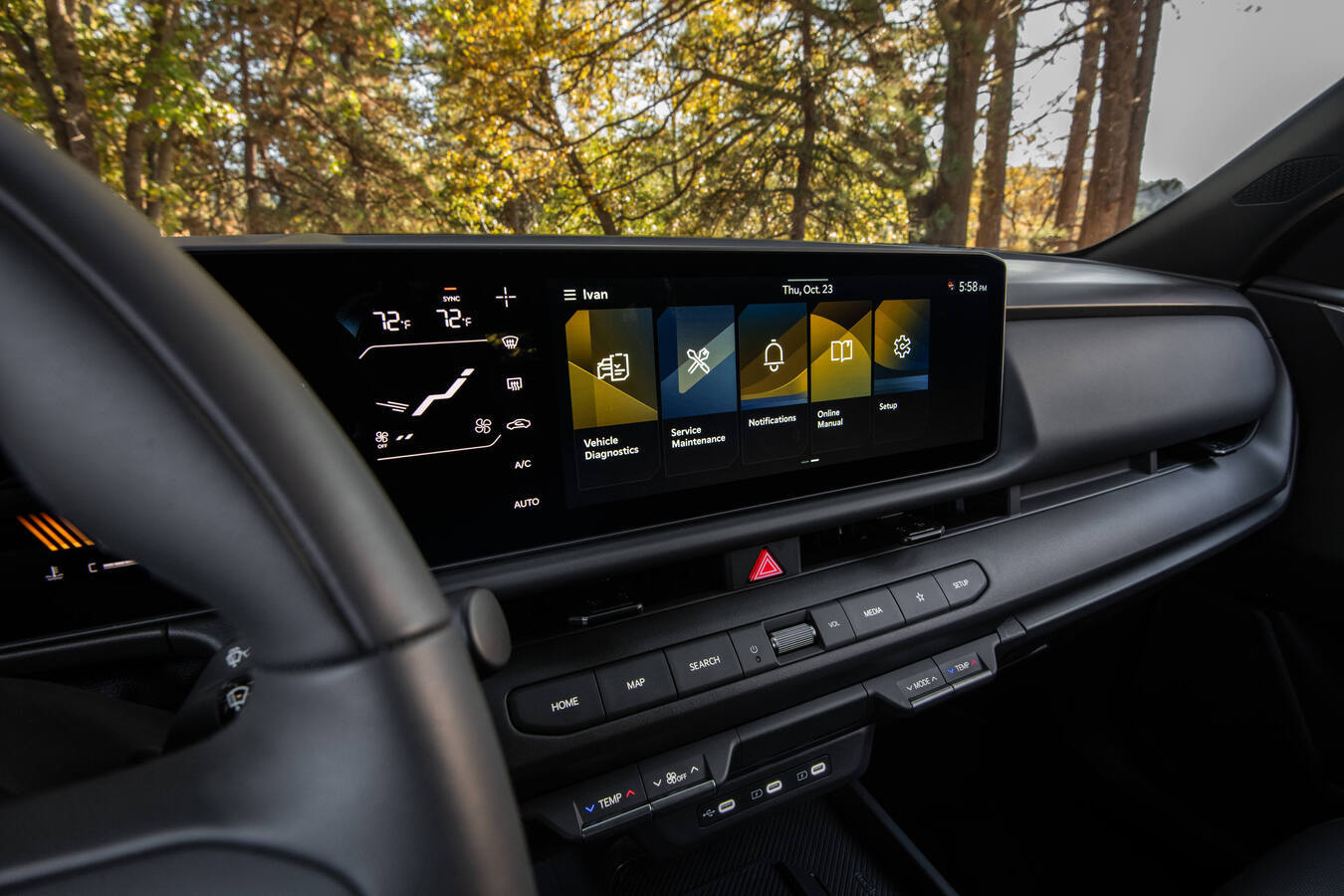
If you’ve sat in a new Kia lately, you already know the dashboard looks more like a tablet than a car. Two big 12.3-inch screens, a little climate display tucked underneath, a steering wheel full of buttons, and an app that can start your car from your couch. It’s a lot, and most people only use a fraction of it.
That’s a shame, because a lot of this stuff makes driving easier once you know how it works. So we dug through Kia’s own owner’s manuals, press materials, and owner support pages to put together a plain-English guide. For each feature we’ll cover what it does, which newer Kias have it, and the exact steps to use it.
One quick note before we start: features vary by model, trim, and package. If something below isn’t in your car, it’s probably tied to a higher trim or an option package. Your owner’s manual (or your salesperson) can confirm what you’ve got.
Quick Look: Which New Kias Get Which Tech
Here’s a snapshot of the headline features across some of the newest models, based on Kia’s official 2026 and 2027 model information.
| Model | Dual 12.3″ Screens (ccNC) | “Hey Kia” AI Voice Assistant | Digital Key 2.0 | Highway Driving Assist 2 | Remote Smart Parking Assist |
|---|---|---|---|---|---|
| 2026 Kia K4 | Standard | Yes | Available | Available (GT-Line Turbo) | Not listed |
| 2026 Kia Sportage | Available (curved panoramic) | Via ccNC | Available (UWB) | Available | Not listed |
| 2027 Kia Seltos | Standard | Yes | Not specified yet | Not listed | Not listed |
| 2027 Kia Telluride | Standard | Yes | Available (UWB) | Available | Available |
| 2027 Kia EV3 | Standard | Yes | Available | Available | Available |
Good to know:
- “ccNC” stands for Connected Car Navigation Cockpit, Kia’s newest infotainment platform. It debuted on the EV9 and has since spread across the lineup.
- Wireless Apple CarPlay and Android Auto are standard on the K4, the 2027 Seltos, and the 2027 Telluride.
- Several features depend on an active Kia Connect subscription (more on that below).
1. The ccNC Infotainment System and Panoramic Displays
What it does
The ccNC system combines your navigation, media, connectivity, driver displays, and over-the-air updates into one platform. On most new Kias you get a 12.3-inch digital gauge cluster and a 12.3-inch touchscreen side by side, plus a 5-inch climate display. On the K4 and EV3, Kia says that adds up to nearly 30 inches of screen.
How to use it
- Swipe and tap like a phone. The home screen uses larger icons and swipe gestures. Long-press a widget to rearrange it.
- Use the touch bar below the screen. Many models have a shared audio/climate touch strip. Tap the toggle to switch it between radio controls and climate controls.
- Connect CarPlay or Android Auto wirelessly. Turn on Bluetooth on your phone, go to the phone connection menu on the touchscreen, and follow the pairing prompts. After the first time, your phone reconnects automatically.
- Customize the look. With an active Kia Connect subscription you can download display themes (Disney, Marvel, Star Wars, Pixar, National Geographic, all 30 NBA teams, and more) from the Kia Connect Store.
A tip from real-world testing: A Capital One Auto Navigator reviewer who spent time in the 2027 Telluride liked how quick and crisp the system was, but noticed the touch-sensitive buttons below the screen can get bumped on rough roads. If you’re getting accidental inputs, rest your hand on the lower edge of the screen when you reach for them.